

Understanding the Need for Auto-Reply Emails
Crafting the perfect customer support auto-reply email is crucial for businesses operating in Japan. With a unique customer service culture, it's important to recognize the expectations of Japanese customers regarding prompt and respectful communication. This article outlines the key components to include in your auto-reply email, ensuring that your customers feel acknowledged and valued.
Key Components of an Effective Auto-Reply Email
Immediate Acknowledgment: Start the email by thanking the customer for reaching out. This simple gesture demonstrates respect and appreciation, which is highly valued in Japanese culture. For instance, you might say, "Thank you for your inquiry; we appreciate your interest in our services."
Confirmation of Receipt: Make it clear that their inquiry has been received. Use phrases like "Your message has been received, and we will get back to you shortly." This assures customers that their concerns are being taken seriously. You could also specify the type of inquiry they made, which adds a personal touch. For example, if the inquiry was about a specific product, you might say, "We have received your inquiry regarding [Product Name]."
Estimated Response Time: Provide a realistic timeframe within which they can expect a response. For example, "Our team aims to respond within 24 hours on business days." This sets expectations and helps to mitigate any frustration due to delays. It’s also wise to mention any exceptions, such as holiday periods when responses may take longer. For instance, you could add, "Please note that during public holidays, responses may take longer than usual."
Contact Information: Include alternative ways to reach customer support, such as a phone number or live chat option. This is especially important for urgent inquiries. You might say, "For urgent matters, please call us at [Phone Number] or use our live chat feature on our website, available from 9 AM to 5 PM JST."
Helpful Resources: If applicable, provide links to FAQs or support articles that might help the customer resolve their issue independently. This can enhance customer satisfaction by providing immediate assistance. For example, you could include links to common troubleshooting guides or product manuals. Additionally, consider mentioning the types of issues these resources can help with, such as, "You may find the following resources helpful for common questions regarding our services."
Closing with Courtesy: End the email with a polite closing statement, such as "Thank you for your patience and understanding." This reinforces the respectful tone necessary in communication with Japanese customers. You might also add, "We look forward to assisting you further."
Example Template
Here’s an example of what an effective auto-reply email might look like:
Subject: Thank You for Contacting Us
Dear [Customer's Name],
Thank you for reaching out to us. We appreciate your message and want to assure you that it has been received.
Our team is currently reviewing your inquiry and will respond within 24 hours on business days. For urgent matters, feel free to call us at [Phone Number] or use our live chat feature on our website.
In the meantime, you may find the following resources helpful:
- [Link to FAQ]
- [Link to Support Articles]
Thank you for your patience and understanding.
Best regards,
[Your Company Name] Customer Support Team
Common Mistakes to Avoid
When crafting your auto-reply email, be mindful of the following pitfalls:
- Overly Technical Language: Keep your language simple and straightforward. Avoid jargon that may confuse customers. For example, instead of using technical terms, focus on clear, everyday language to explain processes or solutions. Consider providing an example of a common issue and how it can be resolved in simple terms.
- Lack of Personalization: Always try to personalize the email with the customer's name. This small touch can make a big difference in how the communication is received. You could also reference their specific inquiry to show attentiveness. For instance, you might say, "We understand you have questions about [specific issue]."
- Neglecting Cultural Nuances: Japanese customers may expect a higher level of formality in communication. Tailor your tone accordingly. For example, using honorifics or polite expressions can significantly enhance the customer experience. Additionally, consider the timing of your responses; responding promptly, especially during business hours, is crucial in Japanese culture.
Potential Challenges and Considerations
While crafting auto-reply emails, businesses may face several challenges:
- Language Barriers: If your team is not fluent in Japanese, consider hiring a translator or using professional translation services to ensure clarity and appropriateness in your communications. This can prevent misunderstandings and ensure your message is conveyed accurately.
- Cultural Misunderstandings: Misinterpretations can arise from cultural differences. It’s crucial to research and understand Japanese business etiquette to avoid offending customers unintentionally. For instance, being overly casual can be perceived as disrespectful. It may also be beneficial to have a cultural consultant review your communications to ensure they align with local expectations.
- Technical Limitations: Ensure that your email system can handle the volume of inquiries and deliver auto-replies promptly. Delays in sending auto-replies can lead to customer dissatisfaction. Regularly test your email system to identify any potential issues before they affect customer interactions.
How to Verify Effectiveness
To ensure your auto-reply email is effective:
- Monitor Response Rates: Track how quickly customers respond to your auto-replies. High engagement can indicate a well-received message. You might also analyze the content of their follow-up inquiries to see if your auto-reply addressed their concerns adequately. For instance, if many customers ask about the same issue, it may indicate that your auto-reply could include more detailed information.
- Solicit Feedback: After resolving inquiries, request feedback on how your auto-reply email met their expectations. This can provide valuable insights for improvement. Consider including a short survey link in your follow-up emails to gather this information. You could ask questions like, "Did our auto-reply address your concerns?" to gauge its effectiveness.
- Follow-Up Communication: After the initial auto-reply, ensure that you follow up with a personalized response once the inquiry has been addressed. This reinforces the customer’s value and shows your commitment to their satisfaction. For example, after resolving an issue, you might send a follow-up email asking if they need further assistance or if they were satisfied with the resolution.
When Do You Need an Auto-Reply Email in Japan?
An auto-reply isn't only for after-hours support — in a Japanese business context, several concrete situations call for one, each with slightly different expectations:
- Contact form submissions — the most common trigger; sets the tone for how responsive your business appears from the very first interaction.
- Product/service inquiries — confirms the specific inquiry was received, which matters more in Japan than a generic "thanks" alone.
- Customer support requests — especially important for setting a response-time expectation before a human agent picks up the ticket.
- Trade show leads — see the dedicated example below; this is one of the highest-volume, most time-sensitive use cases.
- After-hours inquiries — Japanese business hours (営業時間) are commonly stated explicitly, so an after-hours auto-reply should say when a human will actually follow up, not just "we're closed."
- Requests for quotation (見積り依頼) or information — these often need a slightly longer, more formal acknowledgment since a quote typically requires internal coordination before it can be sent.
- Appointment/meeting requests — an auto-reply here should confirm the request was received and give a realistic timeframe for confirming the actual date/time, rather than implying the meeting is already booked.
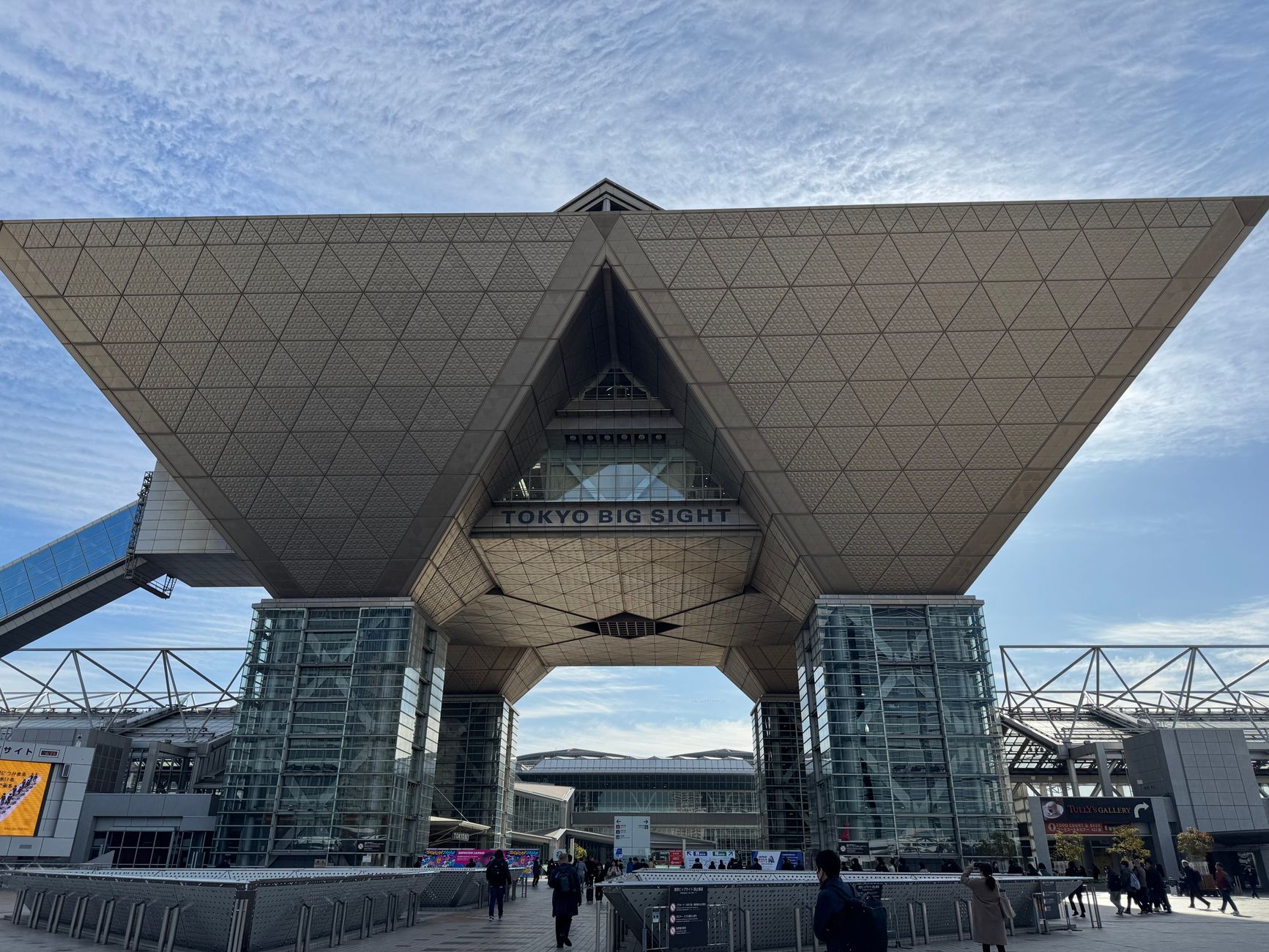
A Practical Example: Trade Show Lead Follow-Up
Exhibiting at a Japanese trade show or exhibition (like an event at Tokyo Big Sight) is a common way foreign companies generate a large batch of leads very quickly — but it also creates a specific auto-reply challenge worth planning for in advance.
Here's a practical version of how this often plays out, described as one example workflow rather than a universal rule — not every exhibitor's process looks exactly like this:
- During the event, many visitors to your booth exchange physical business cards rather than filling out a digital form.
- This can produce a large volume of business cards — sometimes hundreds over a multi-day event — which is difficult to follow up on manually within a reasonable timeframe.
- The card information can be digitized into a CRM or lead-management system, either by manual data entry or a card-scanning/digitization service.
- Once digitized, an automated follow-up email can be triggered for each new lead — typically a short thank-you-for-visiting-our-booth message with next-step information (a brochure, a demo booking link, or a request for a follow-up call).
- This workflow reduces manual follow-up work and can meaningfully improve response speed compared to manually emailing each contact after the event ends — response speed matters because trade show leads tend to cool off quickly once attendees return to their own inbox backlog.
This is presented as a practical example of how the workflow can work, not a claim that every Japanese trade show or every exhibitor follows this exact process — booth format, lead volume, and follow-up practices vary considerably by event and by company.
Real Services That Can Support This Workflow
A few real, currently operating services relevant to different parts of this workflow (business card digitization, CRM, and marketing automation/email automation). This is not an exhaustive list, and inclusion here does not imply any affiliation between GMS and these services:
- Sansan — a Japan-based business card management and CRM service specifically built around digitizing physical business cards (via OCR plus human verification) and syncing that contact data across a sales team; it's widely used in Japan precisely for the trade-show-leads-to-CRM scenario described above.
- HubSpot — a CRM and marketing automation platform that supports automated email sequences, lead scoring, and follow-up workflows once contact data is in the system.
- Salesforce — a widely used enterprise CRM that can be configured for automated email responses and lead-routing workflows, often used by larger organizations with more complex sales processes.
- SATORI — a Japan-based marketing automation tool geared toward the Japanese market, covering lead scoring and automated email nurturing.
- Mailchimp — a simpler, lower-cost option for automated email sequences and auto-replies, often a reasonable starting point for smaller teams before moving to a full CRM/MA platform.
Which tool fits depends on your lead volume, budget, and whether you need a full CRM or just reliable automated email — a small exhibitor with a few dozen leads per event has very different needs from a company running multiple exhibitions a year with a dedicated sales team.
Need Help With Business in Japan?
Need Help with Business in Japan?
If you want to build a trade-show-to-CRM-to-follow-up workflow — or need broader support with Japan-side business communication and market entry — GMS can help.
✉ Talk to GMSConclusion
Creating a customer support auto-reply email tailored for Japanese customers involves understanding their cultural expectations and communication preferences. By including immediate acknowledgment, confirmation of receipt, estimated response time, and helpful resources, you can significantly enhance customer satisfaction. Avoid common mistakes and continually verify the effectiveness of your emails to ensure they meet your customers' needs.


